

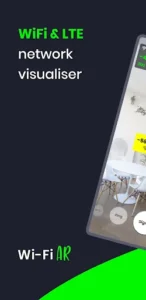

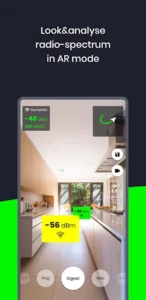
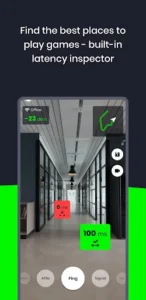
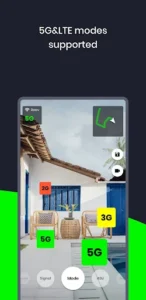
WiFi AR provides an innovative approach to understanding your wireless network by visualizing Wi-Fi and cellular signals within your physical environment using augmented reality. This app enables you to view signal strengths, current connection speeds, and ping values overlaid onto your surroundings, which can be highly beneficial for identifying optimal device locations or pinpointing areas with weak coverage. By presenting complex network data visually through your device’s camera, it offers a tangible, real-world perspective on your network’s performance, assisting you in making informed decisions about router placement and device usage.
Augmented Reality Network Visualization
The app’s core functionality allows you to visualize your Wi-Fi, 5G, and LTE networks in AR mode. This means you can use your device’s camera to see signal levels, helping you locate the best position for a Wi-Fi access point (AP). Beyond signal strength, it also displays your current connection speed, providing an immediate understanding of bandwidth. For those who play online games, the app can identify areas with the lowest latency (ping value) in your space, which is crucial for achieving a smoother gaming experience.
Detecting Network Interference
WiFi AR can assist in diagnosing connection quality issues by identifying interfering networks. It helps you find neighboring Wi-Fi networks that might be impacting and reducing the quality of your own connection. If such interference is detected, the app implies that you might consider adjusting your router settings to select an alternative channel to minimize this impact.
Monitoring Access Point Switching
For environments with multiple Wi-Fi routers, the app offers a practical tool to ensure seamless connectivity. It allows you to check if your device is correctly switching between different access points as you move around. This feature is useful for verifying that your network setup is functioning as intended, preventing situations where your device might cling to a weaker signal from a distant router.
ARCore Requirement
To utilize the augmented reality features of WiFi AR, your device must support Google’s ARCore platform. The application will prompt you to download ARCore if it’s not already installed. It’s important to note that not all devices are compatible with ARCore; a comprehensive list of supported devices is available on the Google Developers website.







Write a review